Batman & Robin
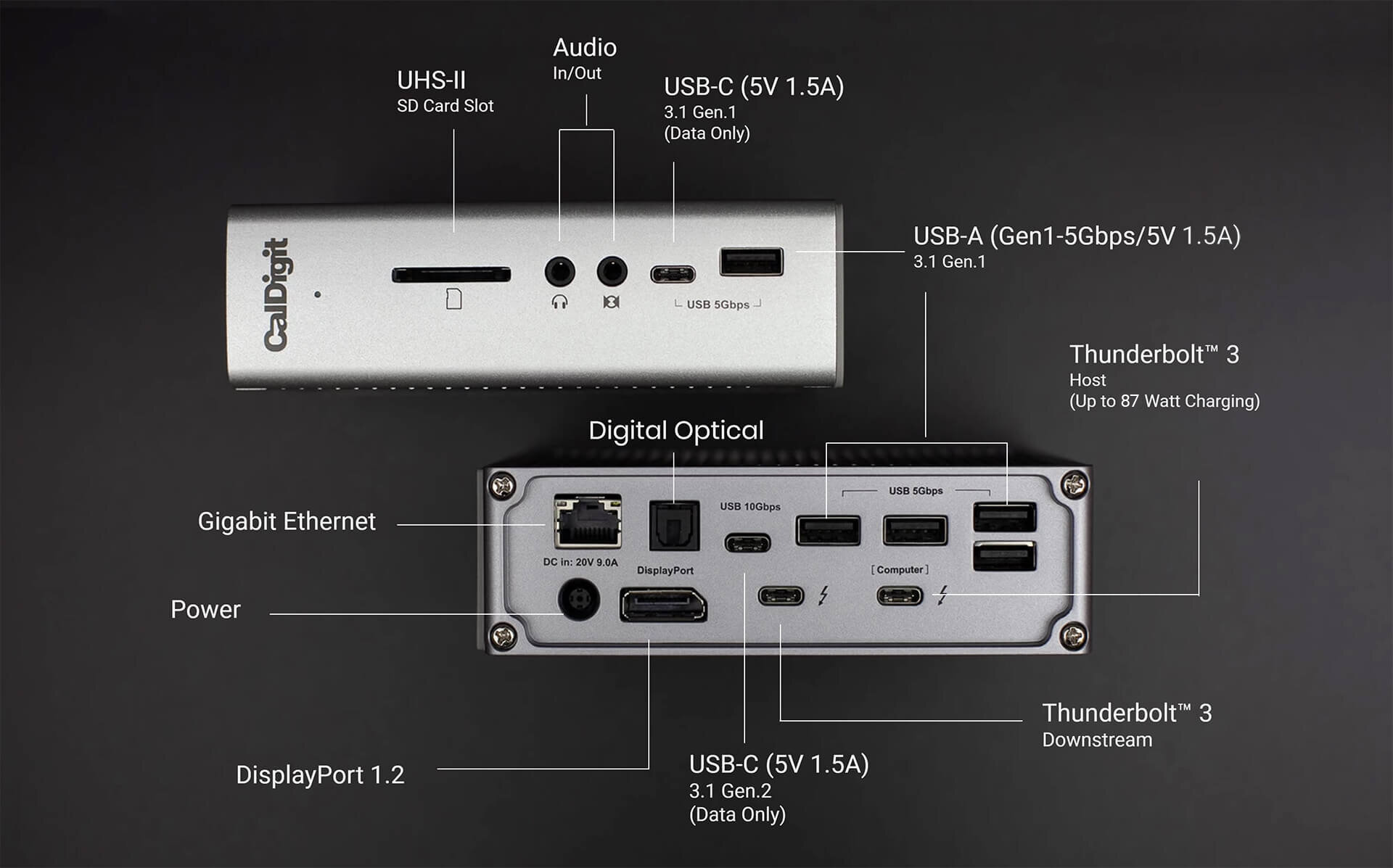
I’m continuing to build out my M1 MacBook Pro workstation, and recently picked up the CalDigit TS3 Plus. I’ve now tried it at two stations and am already loving it. If the MacBook Pro is Batman, this thing is Robin. It’s much, much smaller than I expected, which makes it easy to toss in a bag for a hotel stay or a day trip. In that way, the power cable is a hassle, but much more portable than most peripherals.
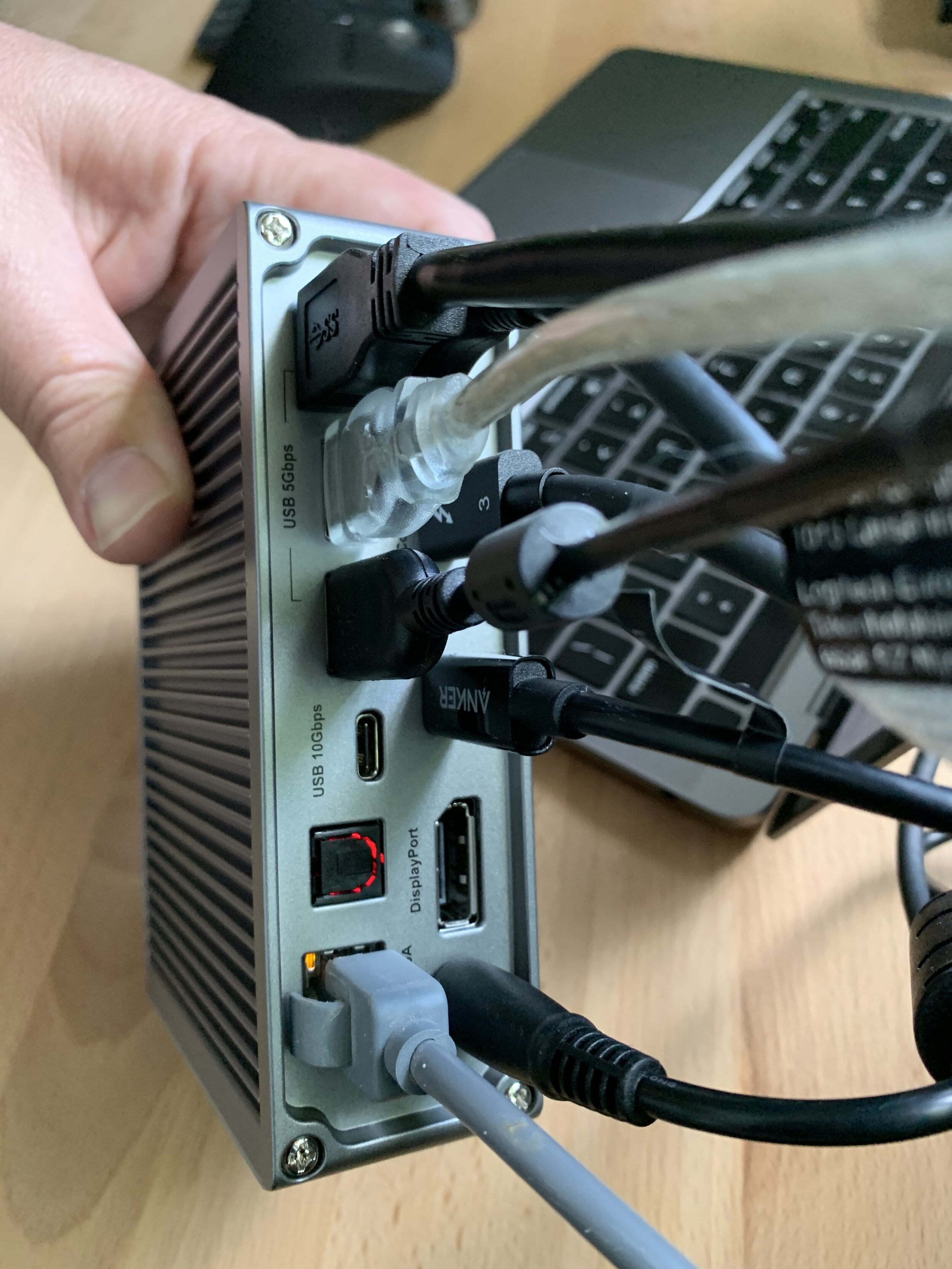
Yesterday I hooked it up via the “Thunderbolt 3” Host port and confirmed it charges my laptop (Holy Smokes!…no power brick needed!), and hooked my external monitor up to the Thunderbolt 3 Downstream port for now (I need to read up a bit on optimum usage of the various USB-C ports vs. Thunderbolt). Then came the USB-A peripheral party: my Canon multifunction printer (which I suppose could go wireless eventually), my ScanSnap ix500, my Logitech webcam, and finally my beloved Focusrite 2i2 to power my monitor speakers. A quick switch of the audio outputs, and BOOM, POW, SHAZAM — no more laptop speaker music. Woohoo!
I also added my ethernet cable and the back was quickly filled up. I was pleased to see that the front audio ports popped up clearly in my system preferences, which will come in handy. I’m also so happy to have an SD card slot at the ready from now on for video editing as I move toward some upcoming YouTube projects.
Some Hops in my Rattle Collection

Pretty pumped to add this 3 Floyds Brewing Bottle Cap Rattle to my percussion inventory. Sounds great, extra colorful, and tons of hops!
Thanks to Upcycled Percussion for helping me pick this up. You can check out lots of other cool percussion offerings on their Reverb shop here.
Logitech Reboot
I still remember how excited I was when we bought the Logitech Harmony All-in-One remote back in the mid-90s, which allowed you to program all your devices to one remote control, including your TV, VCR, etc. It was amazing, and little did I know, the beginnings of my interests in home automation.
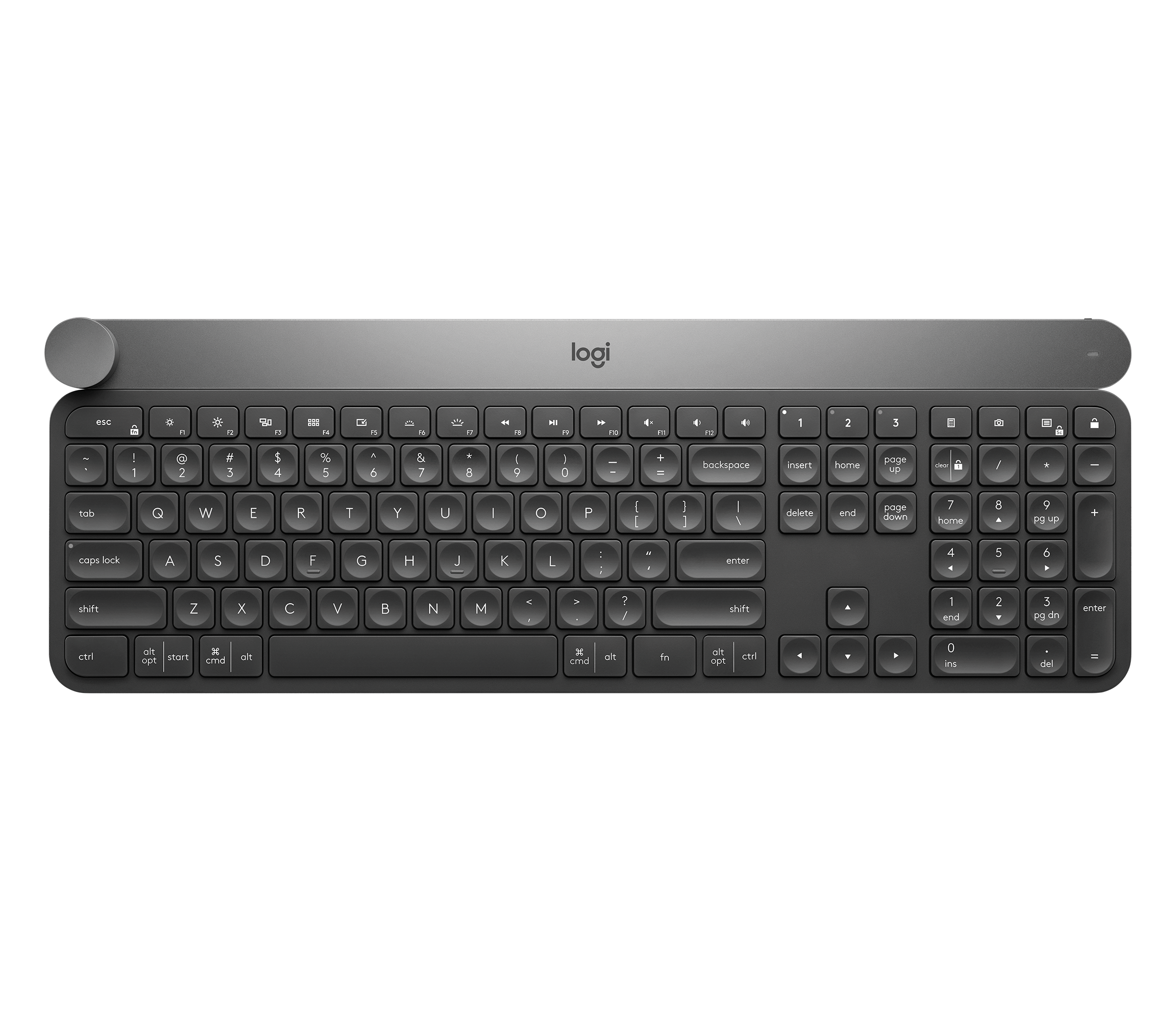
I’ve been using the Apple Magic Mouse for many years now but was recently inspired to check out other options. I picked up the Logitech Craft keyboard and the MX Master 3 for Mac mouse and now I’m in love with them both.
My Apple Magic Keyboard had lost its underside grips and would slide under my hands daily when I typed; having the Logitech Craft now, I can’t believe I waited this long to explore better options. It’s very heavy, I love the way the keys feel when I type (like right now!), and I’ve had no problems pairing it via Bluetooth.
It also hosts some Power User features I didn’t have before, specifically the ability to pair it simultaneously with multiple Bluetooth radios. I have mine set for band 1 to go to my M1 MacBook Pro, band to goes to my 12.9” iPad Pro, and band 3 goes to my iPhone. This makes various tasks throughout the day much faster, and I love being able to work from one station.
I’m also really enjoying the MX Master 3 mouse. The ergonomics are great, I’ve used the left thumb forward/back buttons often, and like that I can easily scroll at two different speeds. I’m still struggling to get used to the bottom thumb button, as I’ve found it to be about an inch behind where my thumb naturally rests.
All in all, very excited to add these two items to my workflow. Moving to a laptop-only lifestyle has been an adjustment, but having these at my workstations has certainly been an upgrade and brought some delight to daily tasks.
Reactions to the Apple Event
Really enjoyed sitting down today and checking out today’s Apple Event during quiet time in our house. Kids sleeping/resting and having lunch with dedicated relaxing time seemed to be a rare alignment of the stars. I jotted down a few thoughts as I watched:
I definitely see a HomePod mini in our future. We have a few Echo devices and I’d love to see how much I use one of these. Specifically, I can never hear my podcasts over the noise from the shower and having one in the bedroom in the mornings seems like a great way to get the news, weather, and have a great speaker for any listening during the morning routine.
The intercom system would also be really helpful. Studio AB is in the bottom corner of our house and I know my wife and I would use this feature throughout the week.
The iPhone 12 Pro looks amazing and I’m especially excited about the continued evolution of the camera. It feels like every year Apple doubles down on the previous camera improvements, which has been a big selling point for me. These cameras are by far the #1 way I document my kids’ childhood and I value having such a high quality camera on my phone despite having just bought a “big kid” camera.
Though I loved the Bond theme music, I don’t see the desire for an iPhone mini. I’m excited to be proven wrong, but for me, I don’t really see an obvious use case at the moment.
I think I am most excited about the MagSafe system and how flexible it is with iPhone accessories. I love the idea of a shared charger for the iPhone and Apple Watch as well!
Apple Event Tomorrow
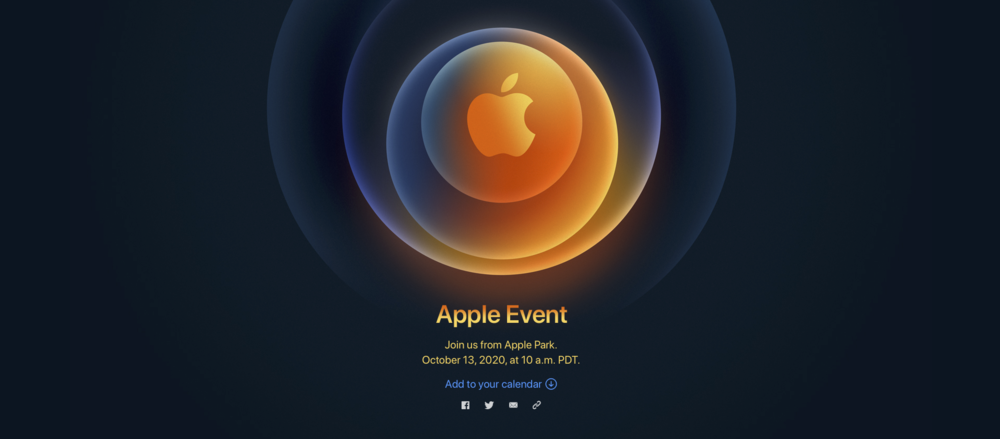
Apple has announced its next Apple Event, scheduled for Tuesday October 13th at 1:00 PM Eastern—that’s tomorrow! It also has some fun AR functions if you take a look at the announcement with your smart phone.
I’ve got time blocked out to enjoy the keynote which is rumored to focus on the new iPhone 12 release later this month. Other items speculated to be included are the new AirPods Studio (headphones rumored to be their highest-end product with noise-cancelling and worn over the ear), possibly a new HomePod, and the new AirTags (their Bluetooth tracking devices similar to the Tile product).
While I’m due for an iPhone upgrade and excited to hear the latest in hardware, these other products are equally exciting. I have a ton of equipment in my Gear Cage that I would love to have tracked with the AirTags, and have been considering finally purchasing some noise-cancelling headphones especially to be used while flying (you know, when we can do that safely again). We’ve also dipped our toe into the Echo scene, and having something in the Apple ecosystem would be something I’d definitely give a good luck before continuing to outfit our home with more smart technology.
Big Screen Evolution
I was catching up on some old Mac Power Users episodes this weekend while mowing my lawn, and learned from Stephen Hackett that I am apparently a card-carrying member of the “Big Screen Club.” As an Apple user I’ve migrated to the iPhone XS Max, the 12.9” iPad Pro and have owned a 27” iMac as my main machine for nearly a decade. Combine these with my recent 32-button Stream Deck XL and the addition of a reference monitor to Studio AB, and I appear to have displayed a preference for larger sized workspaces as all of these (monitor excluded, I suppose) are the largest sizes of their product families.
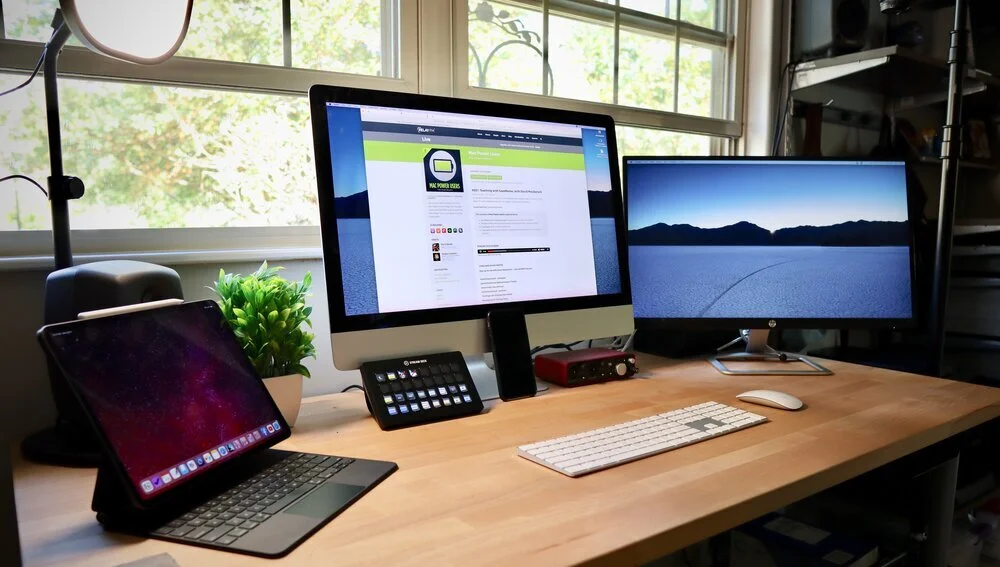
I remember I was recently listening to Ali Abdaal discuss how he tries to direct as many activities as he can to his home machine, including text messages, because his typing speed is lightning fast on his keyboard. I guess I feel the same way about these larger spaces. Though, I’ll be the first to jump if the iPad is ever released in an even larger form, as I would love a 16+ inch version for score reading specifically. In the meantime, I’ve just started hooking mine up to a 32” TV…
The Calm Inbox Course
The Sweet Setup team, led by Shawn Blanc, recently released the Calm Inbox course. The course is discounted 20% for launch week, down from $99 to $79. I’ve signed up for several Sweet Setup courses, and have really enjoyed going through the video tutorials. I’m always looking for ways to keep my attention and focus on one thing at a time, allowing me to live my best creative life, and Shawn and his team are definitely advocates of this approach. The discount ends today, so those who are interested, should hop on board now.
LEGO Aston Martin

Enjoying the end of July, as August 1st is typically when I switch back into "work mode" and use the month to prepare for the season ahead.
Unfortunately I just stumbled upon this new LEGO release and may be slightly distracted for the first few days of August. If you come to visit me in my studio at UT this year, don't be surprised if you see this on my desk. The set comes complete with passenger ejector seat!
Sticky Notes
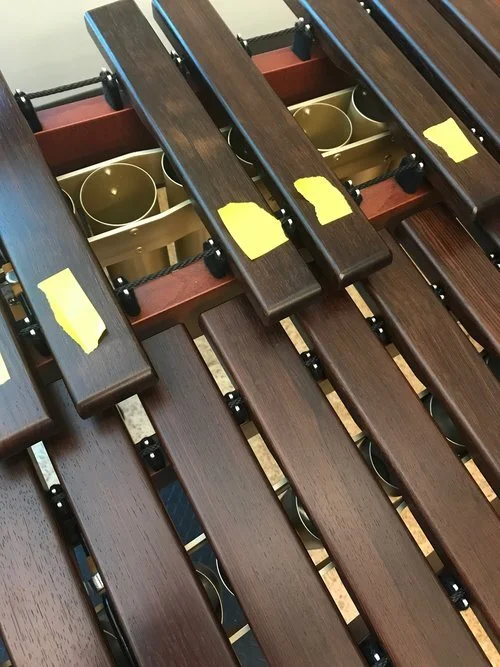
Sticky notes are great for helping us remember things, like where not to play on keyboard bars! This is one of my favorite low-tech tricks when working with students. Each time the mallet strikes the paper, it makes a crackle or a ticking sound that will immediately draw their attention to their playing area and the resonance of the bars, not to mention the visual disruption.
Ruler App

A recent late night date with Quickbooks had me going back and forth between a few PDF documents to reconcile an account. While the creative part of being a musician is great, having clean books is a necessity and I found myself having to tighten up a few groups of data. Thankfully I have a TV in my office and could monitor the MLB playoff race at the same time...
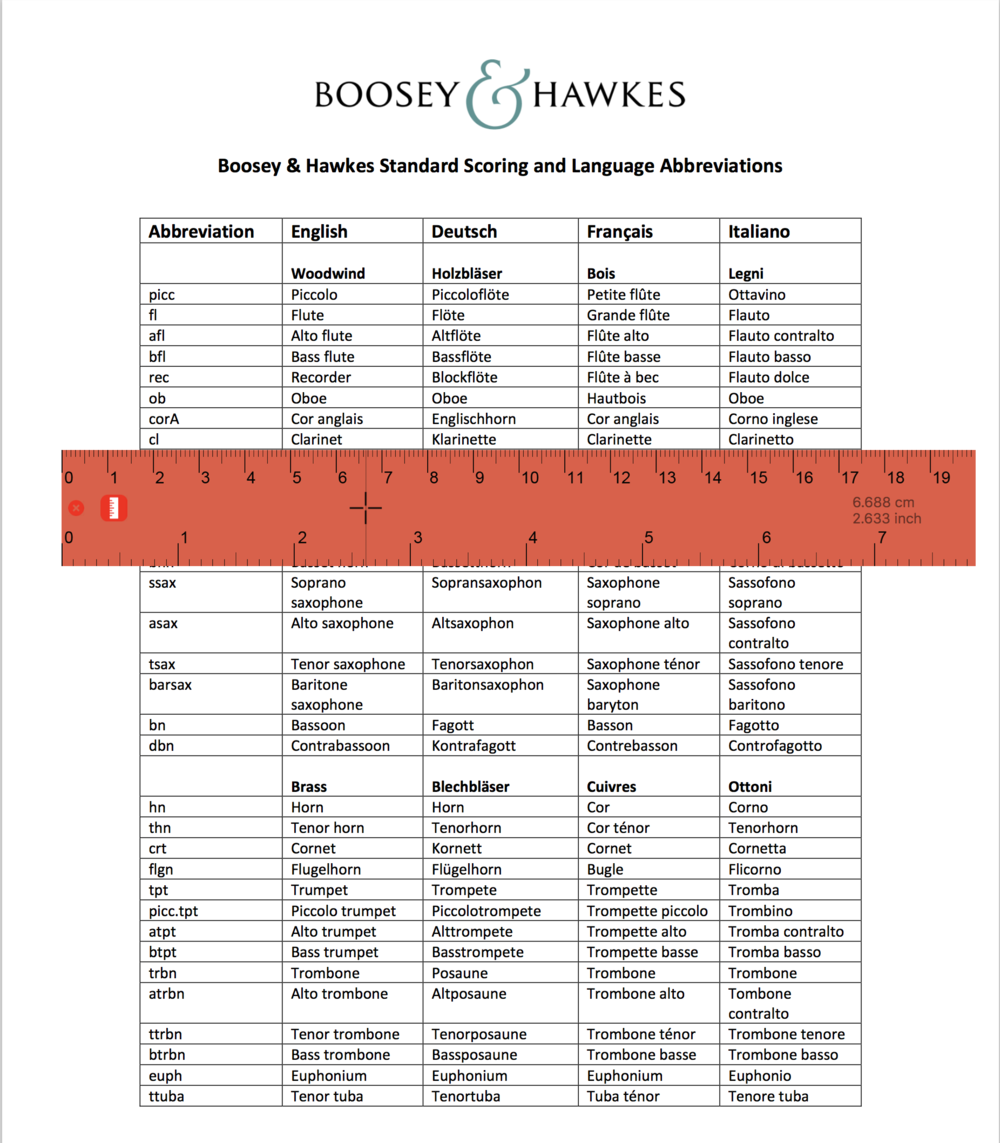
Some workflows on the computer are just not as easy as paper and pencil and using a ruler to keep your place while reconciling an account vs a statement is a trick as old as time. I remember my Dad doing it at his desk growing up, however it seems a little unnecessary to print everything in 2017 just to get this job done accurately and quickly. Enter this nifty Ruler App.
This handy ruler was a huge help with banking and could easily be used to keep your place on any kind of document where your eyes have to go back and forth often, even if in the same document. I can imagine it having uses in score study perhaps or while reviewing any information across a few locations. The colors are changeable, it can be multiplied to have more than one, and can be used vertically or horizontally. A nice little find for $2.
Baseball & Apple Watch

It's likely not a surprise that the recent news that the Boston Red Sox may be facing charges for using the Apple Watch to steal signs immediately caught my eye. Stealing signs has long been a paranoia among baseball teams, and I have often wondered while taking in a game, how technologies like the Apple Watch, iPhone, and simply texting play into the rules. It wasn't long ago that cell phones didn't exist among most people, let alone smart phones, so I'm a little surprised that this is the first time I've seen a headline about suspicions of smart devices being used in the dugout for an advantage.
Auto-Filing Email With SaneBox

I’ve enjoyed getting on board with SaneBox this year to help me stay in charge of my inbox. Since I began teaching in higher education, my email intake has increased significantly, while the processing team remains the same size – me. On top of this I have 2 other email accounts that manage, so it is important that my time in Apple Mail is as efficient as possible.
SaneBox comes with several folders that can be enabled for sorting through the wide variety of messages hitting the inbox, which I use to screen messages in Apple Mail a few times a day. The Inbox messages remain untouched by Sanebox and are the messages I want to see and spend my time on. Often these might be about a potential collaboration from a colleague, a message from a former student, or an email from a friend.
The rest of the messages get pulled into the following folders. By doing so, they are then trained to arrive in these folders in the future:
SaneLater: These are important messages that can’t be dealt with at the moment. Not having to re-read these multiple times, often over several days, makes processing the other actionable items easier and distraction-free.
SaneCC: SaneBox automatically files messages here that I am cc:ed on. Again, these are typically important, but rarely would be the first items I would act upon if I only have a few minutes. Having them out of the way until I have some extra time is extremely helpful.
SaneBulk: Real emails that don’t need to interrupt focused work. Newsletters, marketing from retailers, notifications from social media, and many other types of non-urgent and frequently uninmportant messages. I’ve found more than 50% of the emails I receive daily fall here. I often can scan them quickly, Select All, Mark as Read, and then Archive / Delete. This replaces the constant “pruning” many of us have resorted to on our phones while spending time with others, when we could be having focused, meaningful interactions.
SaneBlackHole: Junk mail. Real or spam. Drag emails here and they will be put directly in the Trash in the future. By not unsubscribing, I save time and don’t risk exposing myself to more junk by clicking through on the initial message.
Email can be rewarding when spending time on correspondence that is important, but all too often we spend our time sorting through unimportant messages, trying to get to a place where we can focus on the important stuff. SaneBox has acted as my digital sorting assistant since I signed up and I’ve been cruising through my inbox at much faster speeds since, not to mention enjoying many of the other features SaneBox offers.
More information can be found at SaneBox.com. If you decide to give it a shot, consider using this link to save $5 off a paid subscription.
Getting Started with TextExpander Snippets
In a life where creative time is at a premium (which is just about any creative person) I always get excited when I can find time to automate the administrative side of my work. For me, TextExpander scratches that itch daily.
Whenever I'm working through my daily punch list and find myself anticipating work that is remotely repetitive, I find my geek-senses kick in and I begin thinking about how to automate tasks. For example, it is the beginning of the semester at the University of Tennessee, and I am on paternity leave, meaning I need to put a lot of people in touch with a colleague of mine who is replacing me for Fall 2017. I could put up a standard away message to all utk.edu email, but there are lots of people who don't necessarily need this information; on the contrary I don't want to type out an explanation for me being away, when I will return, and how to contact this person, dozens of times each week until the new year.
So instead, I type "xaway" and the following message appears:
Thanks so much for your message. I am away on paternity leave for the Fall 2017 semester celebrating the birth of our new daughter! As a result, please contact UT's Visiting Lecturer of Percussion xxxxxx whose email is xxxxxx. The UT Percussion Studio work phone is also of course live which is xxx-xxx-xxxx. I look forward to connecting once I'm back on campus in a few months!
Warm regards,
Andy
Once this happens, I can modify the text, add/subtract text, and format as I wish, but it saves a lot of time. And it doesn't only have to be used in email. This is one of the simplest ways to use their snippets and there are countless ways this can be implemented, not only for efficiency, but also for consistency.